Every dramatic haircut starts with the same question: what if it doesn't suit me? Hair grows back, but slowly, and "I'll just wait it out" is a long season of hats. That is why the smartest thing you can do before a big change is not another hour of scrolling inspiration photos. It is seeing the haircut on your own head first.
An AI haircut simulator does exactly that. You give it two photos: a selfie, and the cut you are considering. Seconds later you are looking at yourself, not a model, wearing that haircut.
Why inspiration photos lie to you
The photo that made you want the cut is doing a lot of quiet work: the model's face shape, their hairline, their styling session, the lighting. None of it comes with the haircut. A bob that sharpens one person's jawline can soften another's. Curtain bangs sit differently on every forehead.
The only honest test is your own face. Stylists approximate this with experience; an AI simulator shows it to you directly.
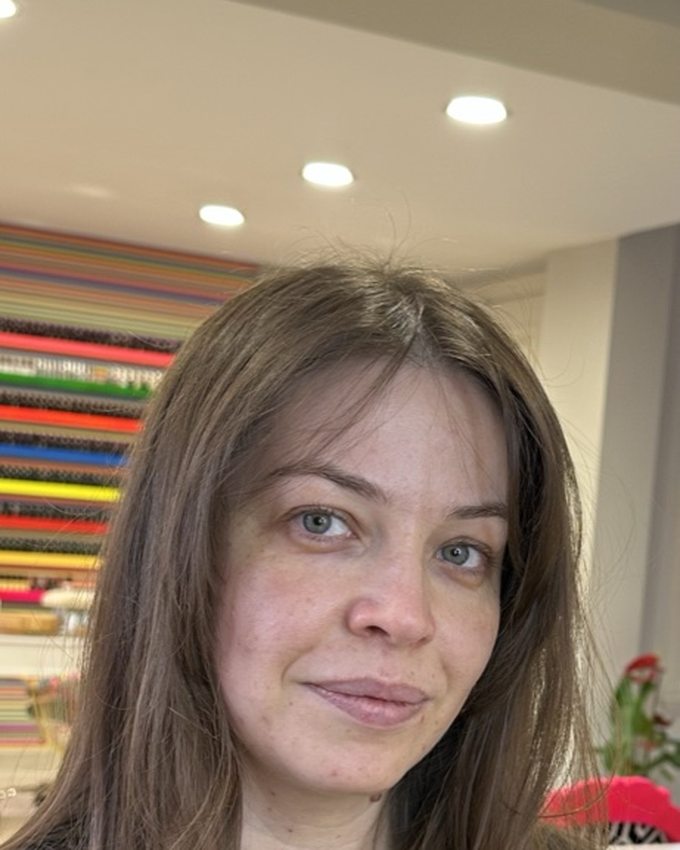
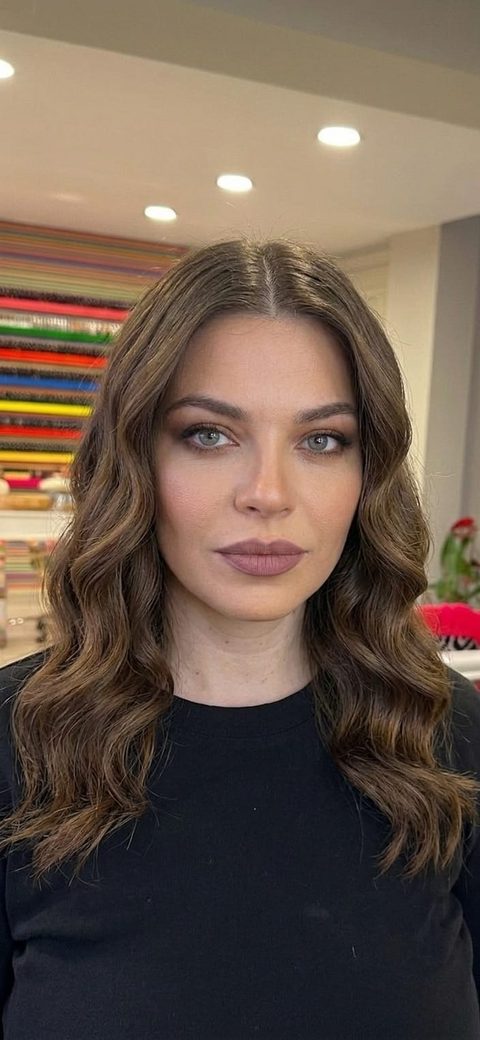
How to simulate a haircut with AI, step by step
- Take one clear selfie. Daylight, face forward, hair as it is now. This is your base photo.
- Collect the cuts you are considering. Salon photos, celebrity looks, saved posts. Include at least one style you think you cannot pull off; those surprise people most often.
- Run each cut on your selfie in the AI hairstyle changer. Each preview takes seconds.
- Compare honestly. Use the before/after slider. Check how the style frames your face at a glance, not a stare.
- Save the winner and bring it to the salon. A preview on your own head is the clearest brief a stylist can get.
Long hair, short hair, color: test all of it
The simulator is not just for cuts. Wondering about going blonde, adding waves, or finally trying long hair extensions? Any hair change you can find a photo of, you can preview. Keep your color and change the length, keep the length and change the color, or swap everything at once.
This is also the cheapest way to settle the short hair question. Instead of debating for months, run the pixie on your own face tonight and know.
See your next haircut on you, tonight.
Free AI hairstyle try-on. Your face stays yours; only the hair changes.
Try the AI hairstyle changerFrequently asked questions
Is there a free AI haircut simulator?
Yes. The AI Makeup app includes a free AI hairstyle changer for iOS and Android. Take a selfie, upload a photo of any haircut, and see it rendered on your own head in seconds, at no cost.
Can AI show me how short hair would look on me?
Yes. Upload a selfie and a reference photo of the short cut you are considering, a bob, a pixie, or anything else, and the AI shows the result on your own face while keeping your features exactly as they are.
How accurate is an AI haircut preview?
Modern generative AI renders photorealistic previews that respect your face shape, hairline, and skin tone. It is a faithful guide to how the style frames your face, though your stylist will still adapt the cut to your hair's texture and density.
Can I show the result to my hairdresser?
Yes, and you should. Saving the AI preview and showing it at the salon is the clearest brief you can give: it shows the target style on your actual head instead of on a stranger's photo.