Changing your hair color is one of the biggest looks-changers there is, and one of the hardest to take back. Box dye is a gamble, a salon session is an investment, and the swatch on the packaging is photographed on someone else's hair. So the real question stands: what hair color actually suits me?
You no longer have to answer it by dyeing first and finding out later. You can try on hair color virtually, on your own face, in seconds.
Why a swatch never tells the truth
The shade on the box sits against a model's skin tone, their starting color, and studio lighting. A cool ash blonde that looks luminous there can turn flat and washed out against a warmer complexion. The swatch shows the dye. It does not show the dye on you, and that difference is where most color regret comes from.
The one honest preview is your own face wearing the shade, which is exactly what AI hair color try-on gives you.
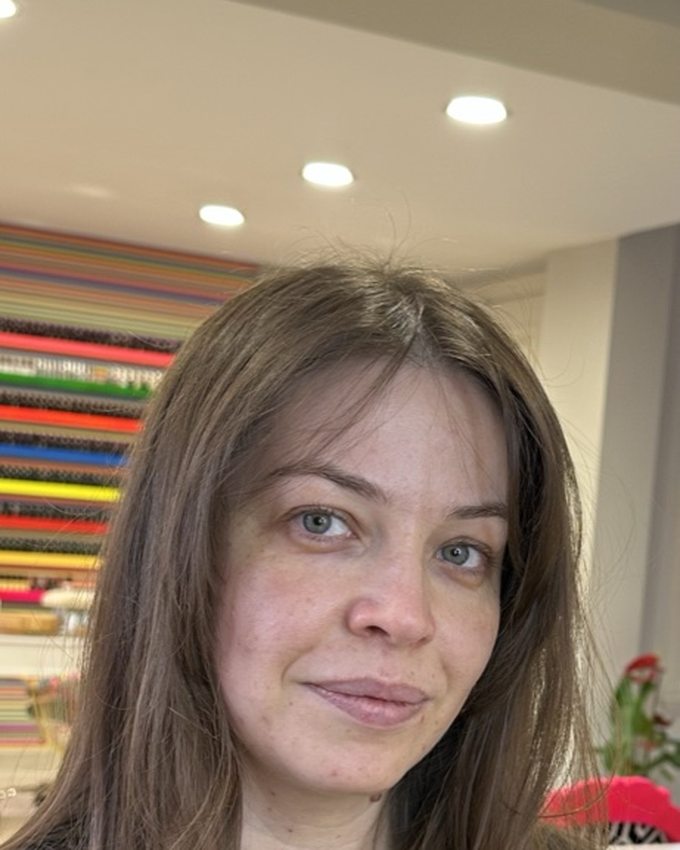
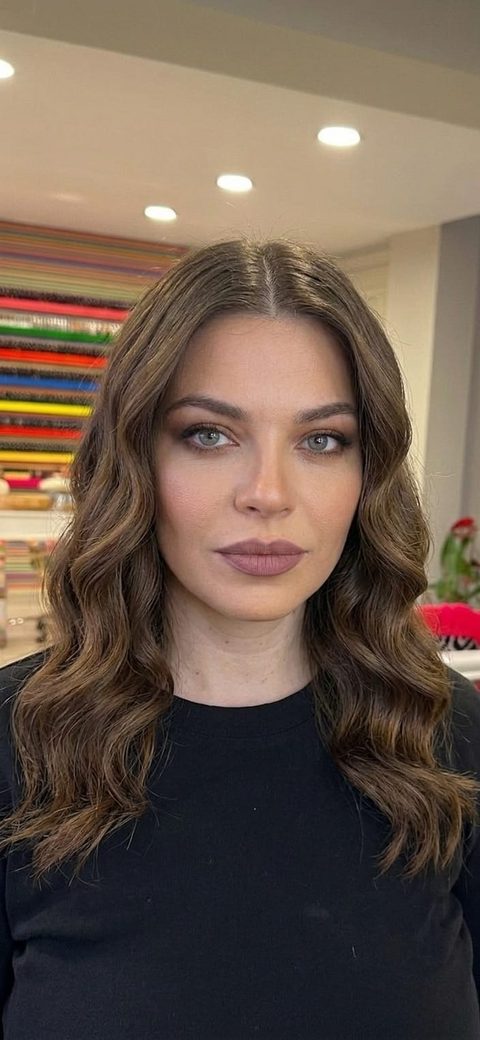
What hair color suits you: start with undertone
Before you test shades, it helps to know which family tends to work with you. It comes down to your skin undertone.
- Warm undertones (golden or peachy skin) usually glow with golden blonde, caramel, honey, warm chocolate, and copper reds.
- Cool undertones (pink or bluish skin) usually suit ash blonde, cool brown, espresso, and blue-based reds.
- Neutral undertones can carry both and get the widest range to play with.
Quick self-test: look at the veins on your wrist in daylight. Greenish points warm, bluish points cool, a mix points neutral. Treat this as a shortlist, not a verdict. The next step is where you actually decide.
How to try on hair color with AI, step by step
- Take one clear selfie. Daylight, face forward, hair visible. This is your base for every shade.
- Pick the colors you are torn between. Use a shade you have in mind or a reference photo of the exact color. Include one from outside your usual range.
- Run each color on your selfie in the AI hairstyle changer. Each preview takes seconds and keeps your skin tone untouched.
- Compare side by side. Look at how the color reads against your skin, not the color alone. Trust your first reaction.
- Save the winner for your colorist. A preview on your own face is the clearest brief you can bring to the salon.
Test the shade, then the whole change
Because the try-on is free and instant, you can go further than a single shade. Keep your cut and only change the color, or change the length and color at once to see a full transformation before you book anything. Going from brunette to blonde is a serious commitment in real life. It costs you nothing to see it first.
See your new hair color on you, tonight.
Free AI hair color try-on. Your face and skin tone stay yours; only the color changes.
Try the AI hairstyle changerFrequently asked questions
Can I try on hair color online for free?
Yes. The AI Makeup app includes a free AI hairstyle changer for iOS and Android that also changes color. Upload a selfie, pick a shade or a reference photo, and see the color on your own hair in seconds.
What hair color suits me best?
The most flattering shades usually work with your skin undertone: warm undertones tend to suit golden and honey tones, cool undertones tend to suit ash and cooler shades. But the only sure way to know is to see the color on your own face, which AI try-on lets you do in seconds.
Can AI show me as a blonde or a redhead before I dye my hair?
Yes. Upload your selfie and try blonde, brunette, red, or any shade you are considering. The AI keeps your face and features and changes only the hair color, so you see the real result before any commitment.
How accurate is virtual hair color try-on?
Modern generative AI renders photorealistic previews that respect your skin tone, so the color reads the way it would on you. Your final salon result also depends on your starting color and how your hair takes dye, so treat the preview as a faithful guide and a great brief for your colorist.